Fastest: use Share
You don't have to copy the link. Share the video or post straight to Zastillia: the app opens by itself and starts reading the recipe. It works on both iPhone and Android.
- 1
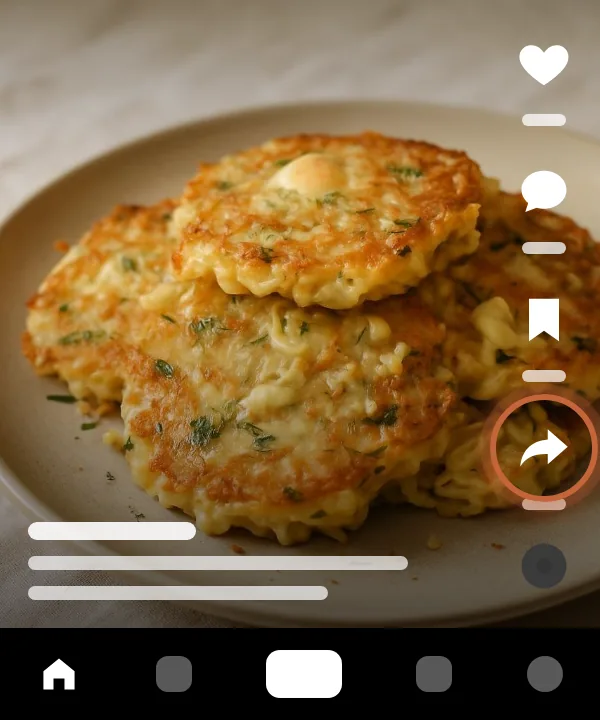
Tap Share
Under the TikTok video, tap the Share arrow on the right.
- 2
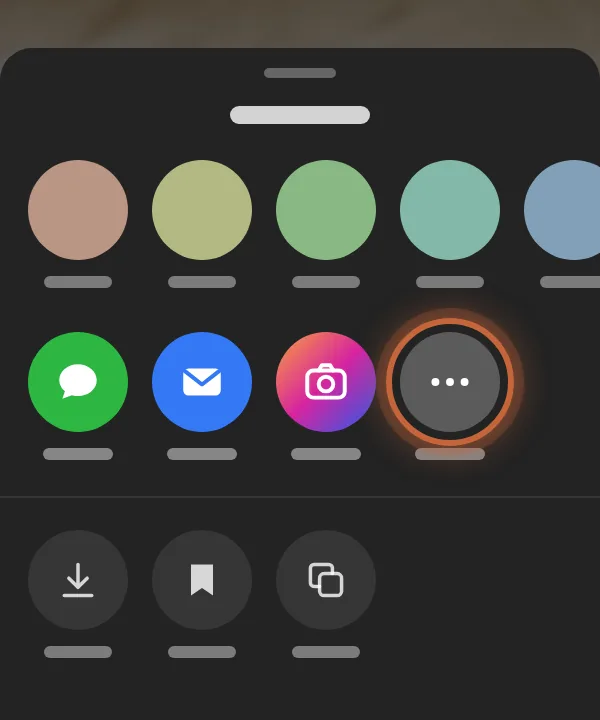
Open the system menu
In the row of apps at the bottom, scroll right and tap More (the three dots). Your phone's share menu opens.
- 3
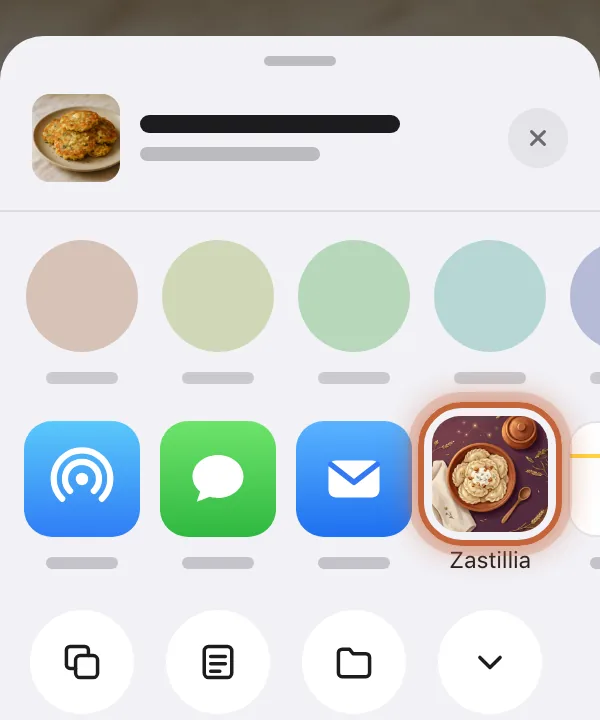
Pick Zastillia
In the share menu, tap the Zastillia icon. The app opens and starts the import right away, with nothing to paste.
iPhone 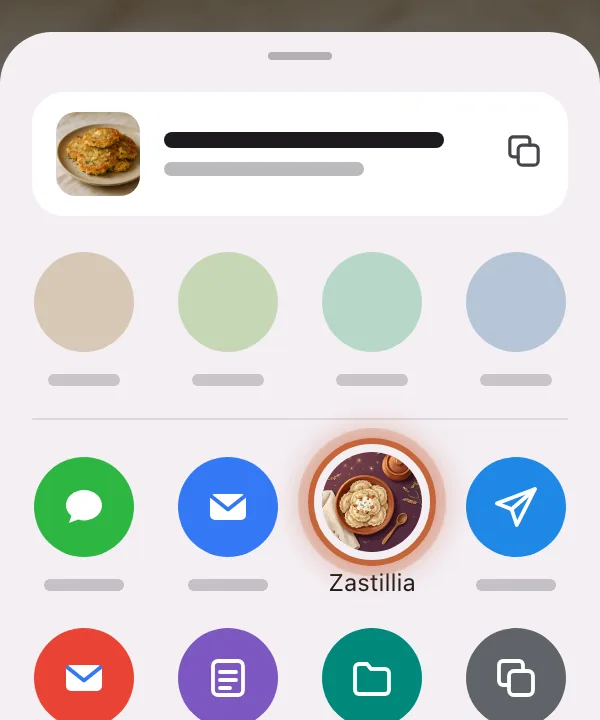
Android
Don't see Zastillia in the menu?
iPhone
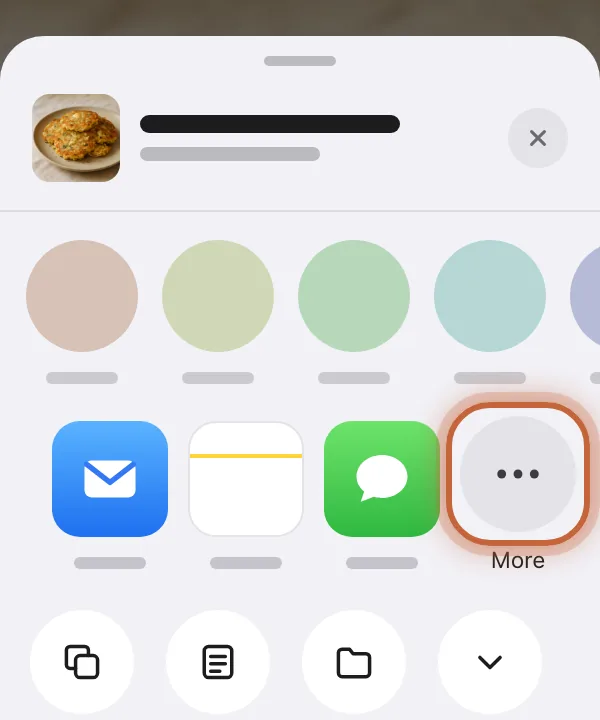
Scroll the row of apps all the way to the right and tap More.
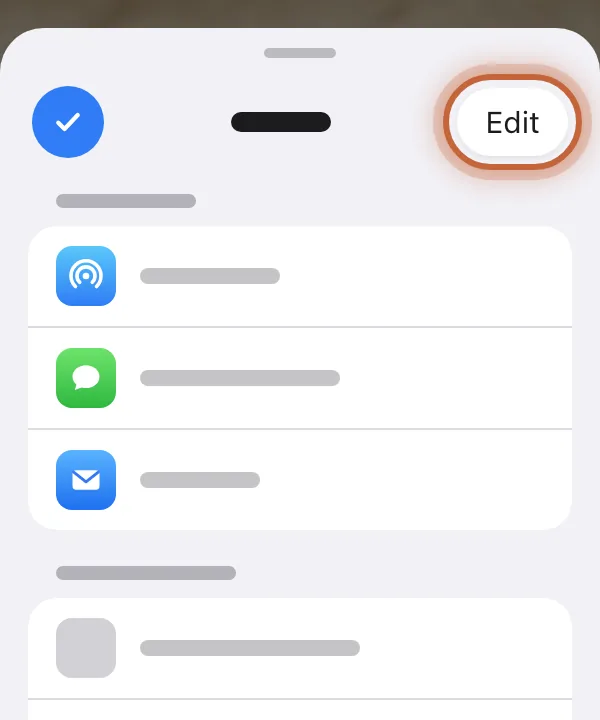
Tap Edit in the top right corner.
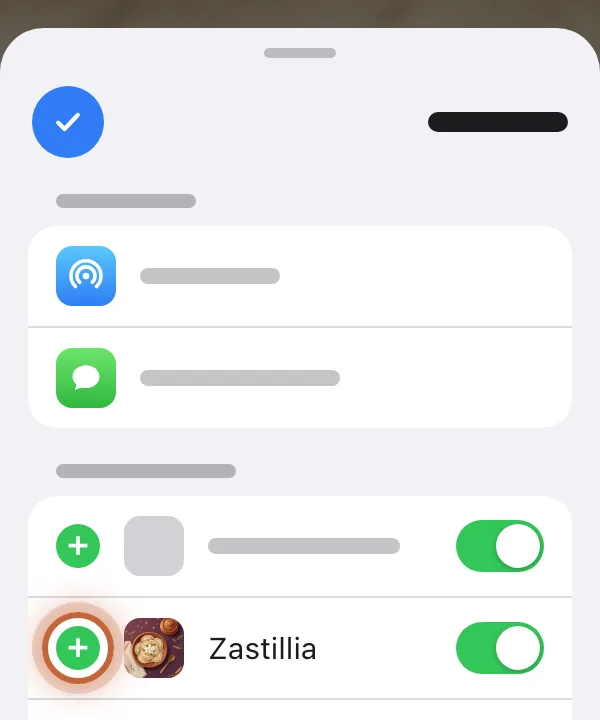
Tap the green + next to Zastillia, then Done. From now on Zastillia stays in the row.
Android
Android lists every app that can take a link, so scroll down the menu: Zastillia is there. To keep it first, touch and hold its icon and choose Pin.
Or copy the link
- 1
Copy the link
Under the TikTok video, tap Share and choose Copy link. Short links like vm.tiktok.com work too.
- 2
Open Add recipe
In Zastillia, on the Recipes tab, tap + and choose By link.
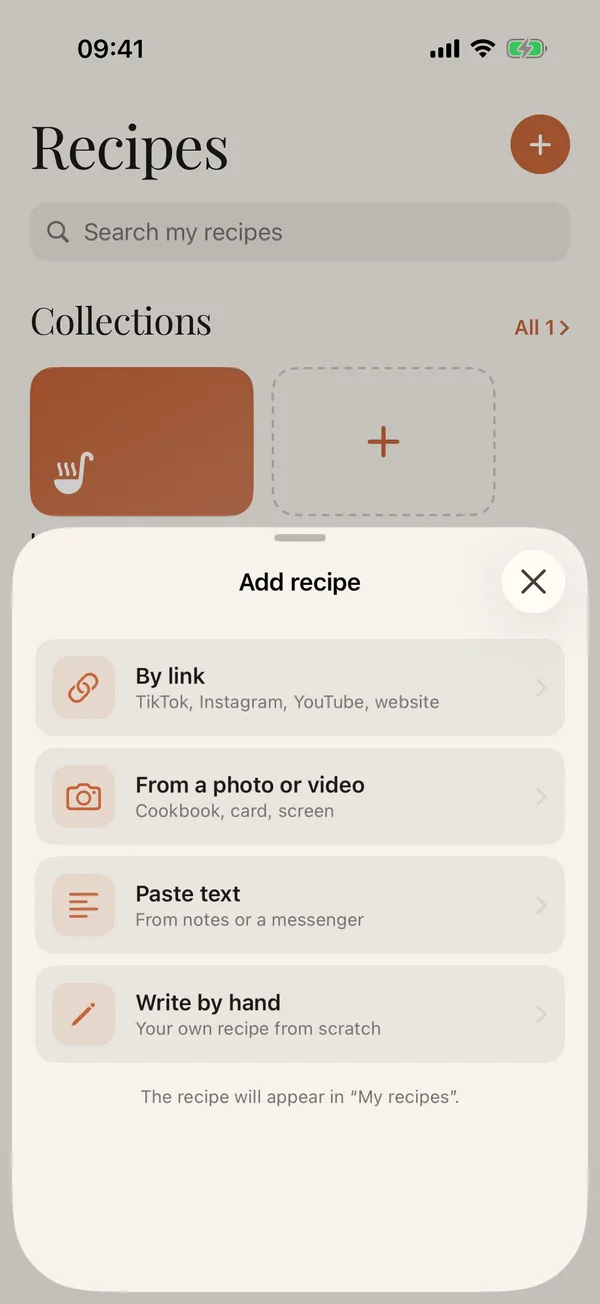
- 3
Paste the link
The copied link usually fills in by itself. If not, tap Paste from clipboard, then Recognize recipe.
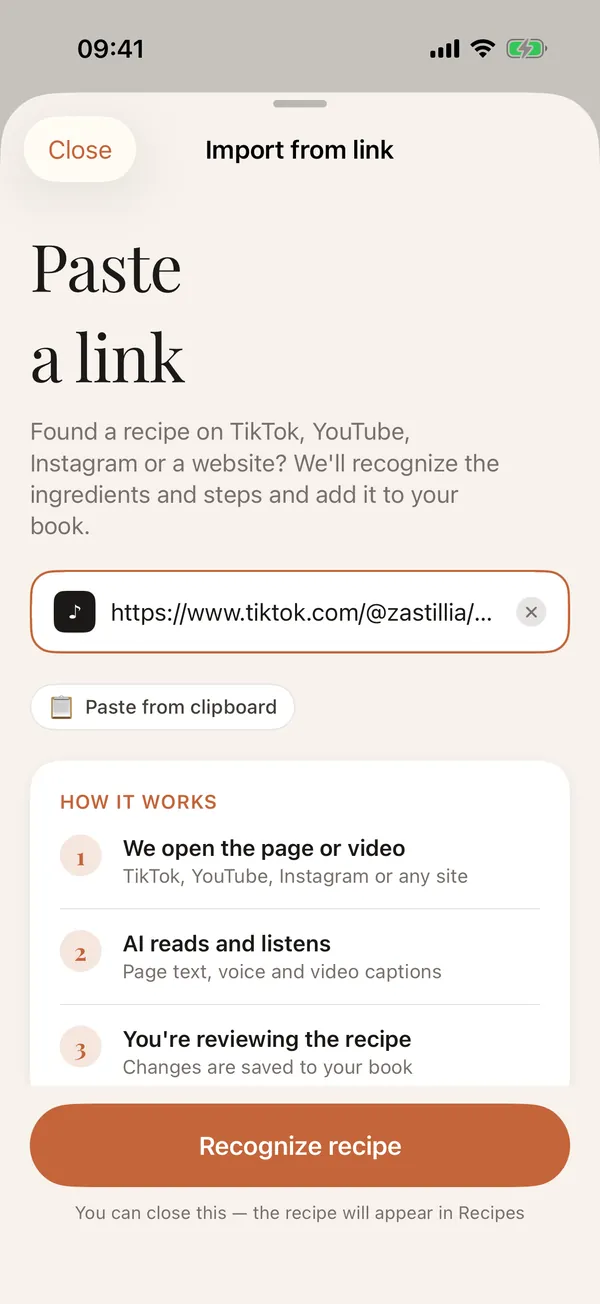
- 4
Give it a minute
AI opens the video, listens to the voice and reads the text on screen and under the video. You can close the screen: the recipe shows up in Recipes as soon as it is ready.
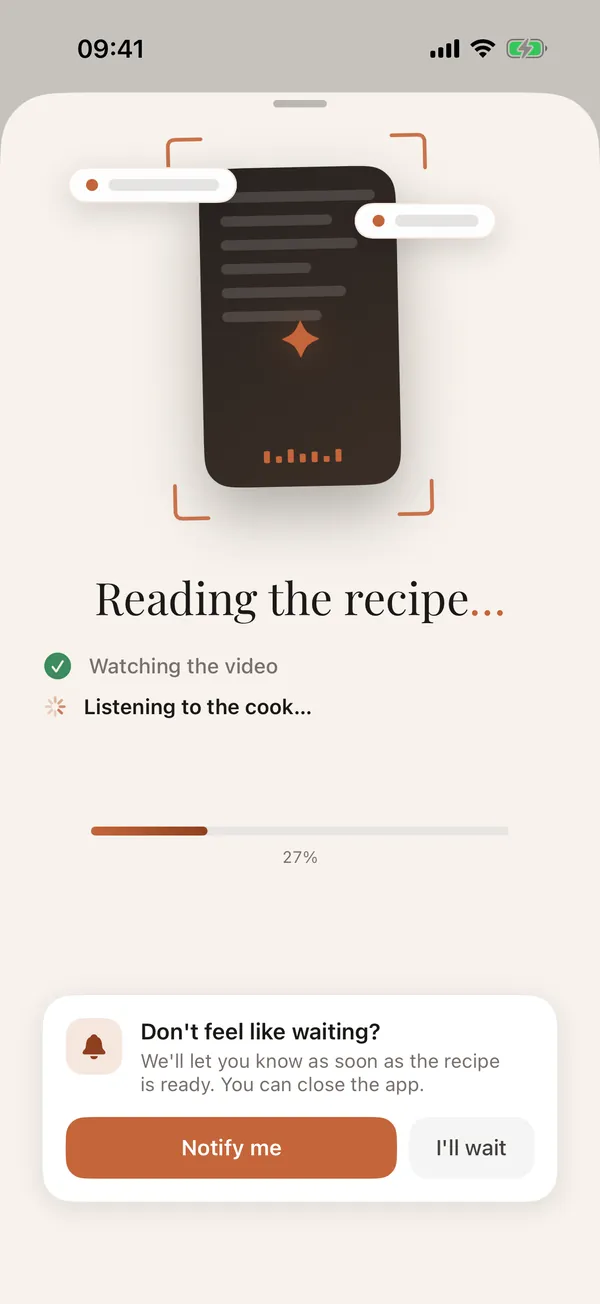
- 5
Check it and cook
Open the recipe: ingredients, steps and macros are already there, and every field can be edited. From here it goes to your shopping list or your weekly plan.
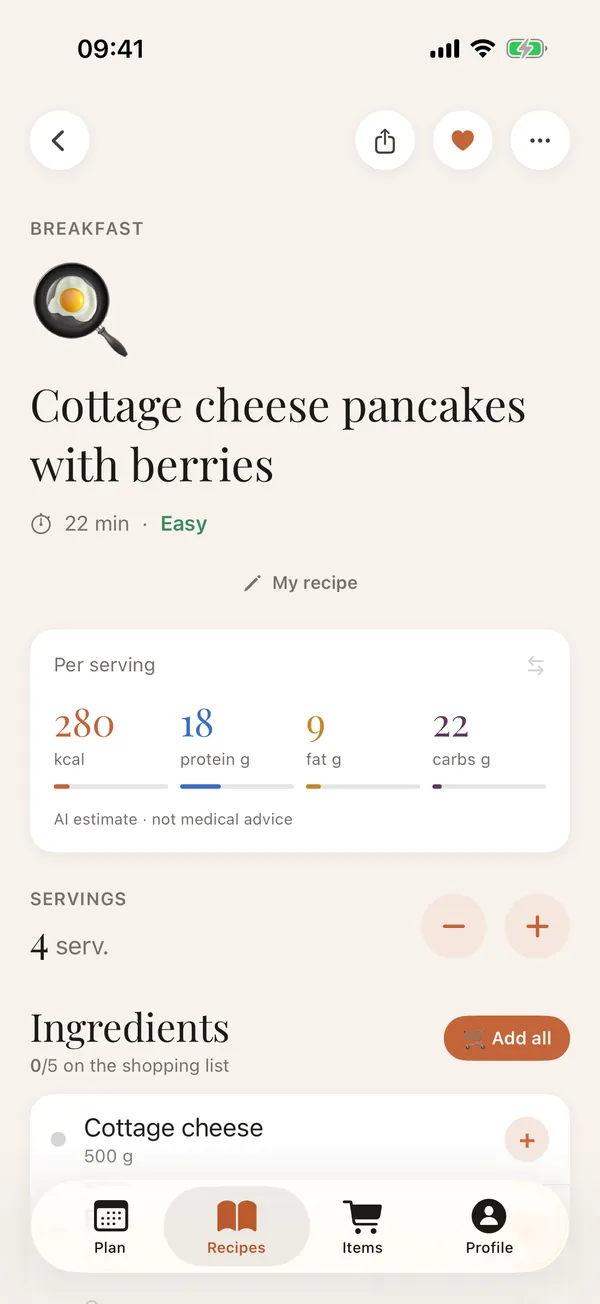
What you get
- ingredients with amounts in grams, millilitres or pieces;
- steps with timers wherever the video mentions a time;
- frames from the video next to the steps;
- calories, protein, fat and carbs per serving;
- rescaling to any number of servings;
- a link back to the creator's original video.
Good to know
- AI cannot open videos from private accounts: the video has to be public.
- TikTok photo posts and carousels work too: the recipe is put together from the photos and the caption.
- If the video has no actual recipe, for example just the finished dish with no amounts, Zastillia says so or marks the recipe as needing a check.
- The recipe is written in the language your app is set to, even if the video is in another language.