Step by step
- 1
Copy the link
Open the recipe page in your browser and copy the address from the bar at the top, or use Share → Copy.
- 2
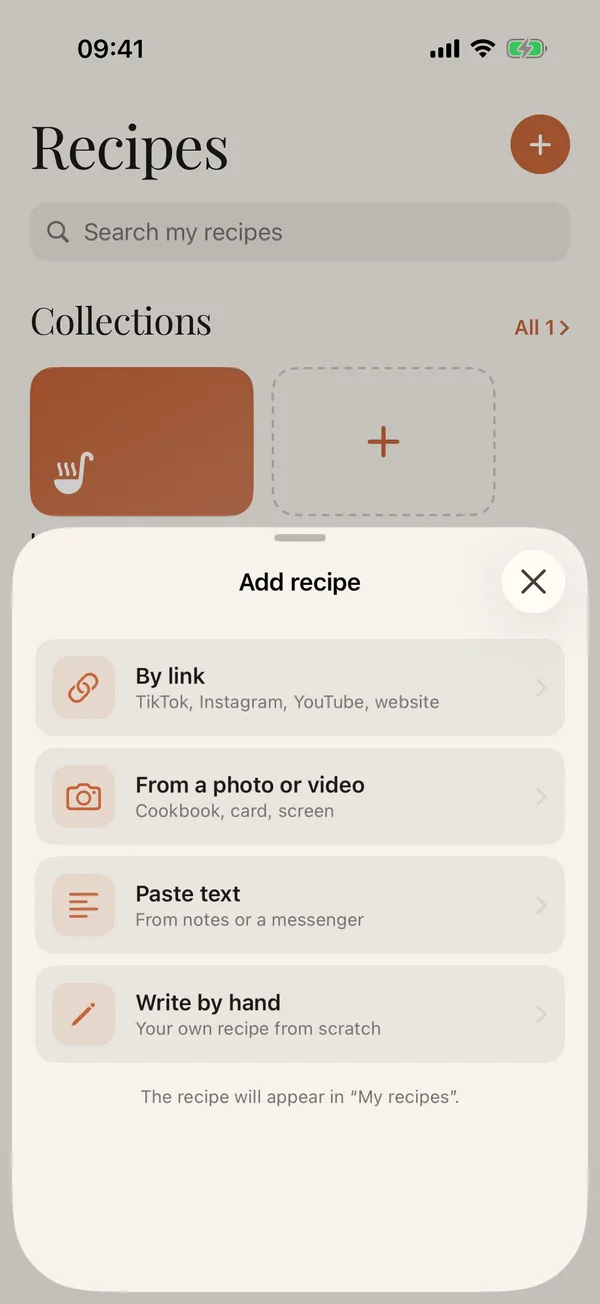
Open Add recipe
In Zastillia, on the Recipes tab, tap + and choose By link.
- 3
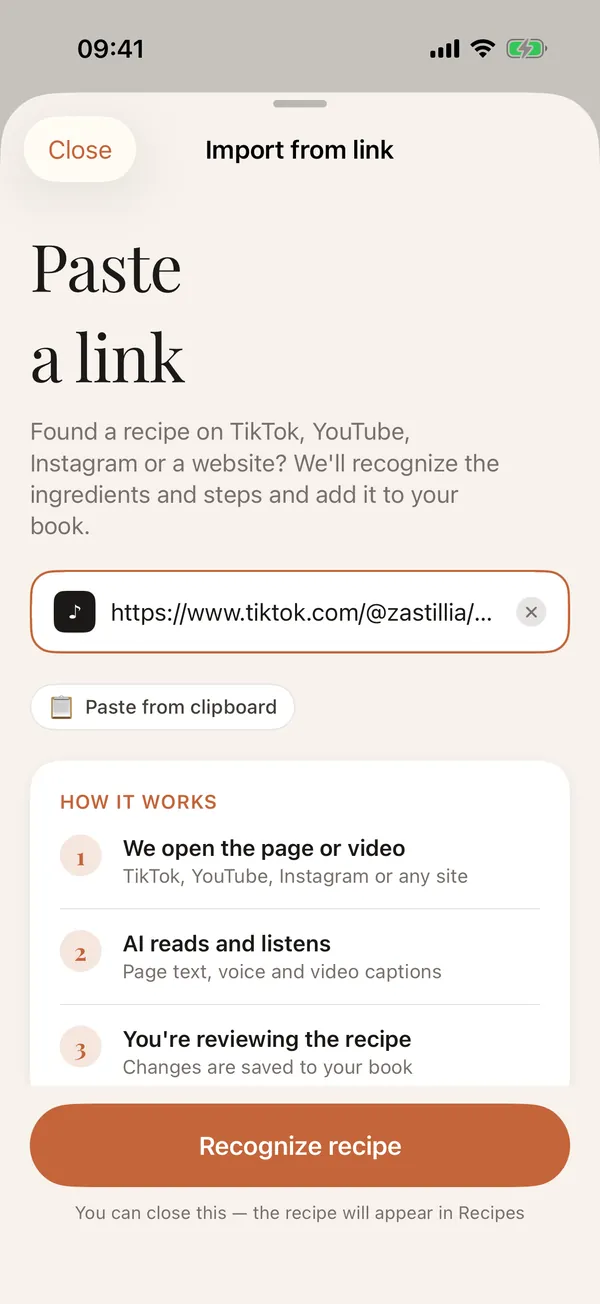
Paste the link
The copied link usually fills in by itself. If not, tap Paste from clipboard, then Recognize recipe.
- 4
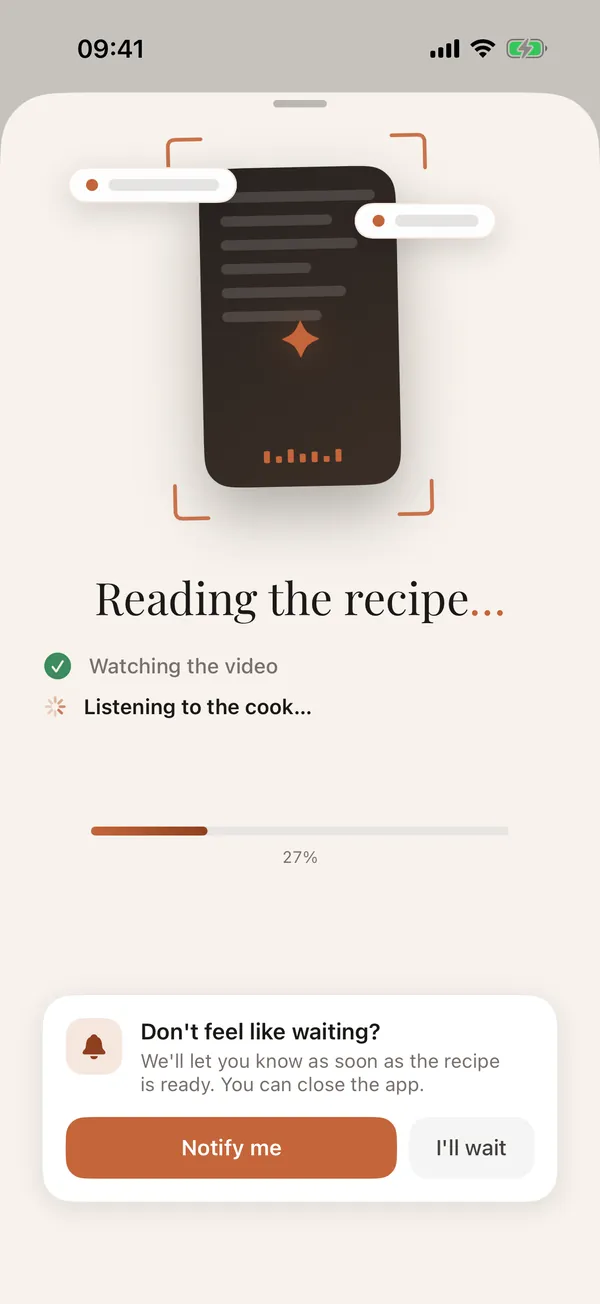
Wait a few seconds
Your phone loads the page, drops everything that is not the recipe, and AI turns the rest into a recipe card. Sites that refuse an ordinary request are opened in a built-in browser.
- 5
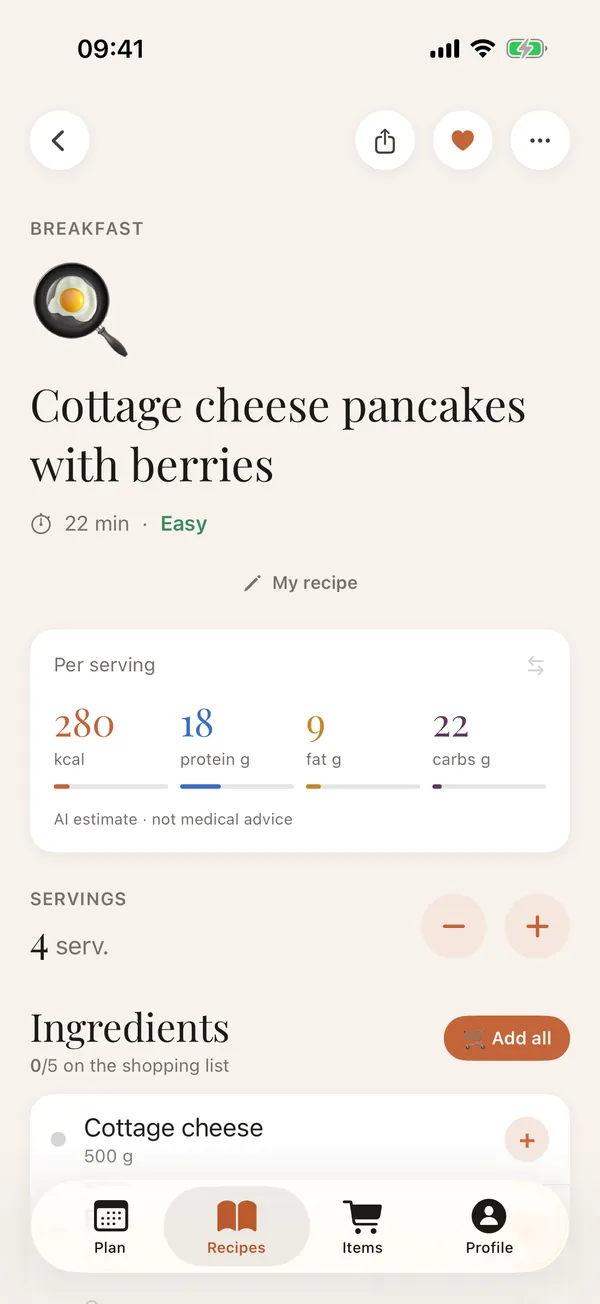
Check it and cook
Ingredients, steps and macros are in place, and every field can be edited. The link to the page is saved with the recipe.
Even faster: share the page
In your browser, tap Share and pick Zastillia in the menu: there is no link to copy, and the import starts by itself.
What you get
- ingredients with amounts, in grams even when the site used cups and ounces;
- steps in order, with timers where a time is given;
- calories and macros per serving, scaled to any number of servings;
- a shopping list in one tap;
- a link back to the original page.
Good to know
- Pages that open only after signing in or behind a paywall cannot be read.
- If a page holds several recipes, Zastillia saves the main one.
- The recipe is written in the app's language, even when the site is in another one.
Questions
Is it free?
The first few imports are free. After that, importing by link is part of Premium. The recipe book, shopping list and cooking mode are always free.
Which websites does it work with?
Any recipe page: food blogs, news sites, supermarket sites. It works best when the recipe is on the page as text, not only inside an embedded video.
Does the website know I saved the recipe?
No. Your phone loads the page like an ordinary browser, and only the recipe text goes to the server to be read.